deleting all subversion files from a directory
OK, I've got to give Mercurial a try. In order to import the files from my local working copy (will try hg convert later) I needed to prune out my local copy.
Yes, you can use SVN export as well. But I wanted to try to delete all the files within a directory structure. Here's how to use "find" and "rm" together to remove specific directories in a directory structure:
find . -name '.svn' -type d -print0 | xargs -0 rm -rf
the "find" part of this argument will find all files in and under the current directory named ".svn" that are directories and print them out as a list. those results are piped to xargs to turn into an argument list for rm. the "r" option works through the tree recursively and the "f" option forces removal. This is necessary in order to remove folders that have files in them.
Extract Files From Subversion for Propagation
Problem:
You store your site files in a subversion repository for source control. When you update your site you don't want to upload the entire tree (nor the svn working copy files) nor do you want to spend time hunting and pecking for the changed files.
Solution:
Use the following script on *nix to extract non-svn files that have recently changed:
find . -not ( -name '.svn' -type d -prune ) -not ( -name '*.log' ) -type f -mmin -240 -print | zip ~/Desktop/prop -@
Discussion:
We're building upon syntax we've used in two previous posts: delete files from a subversion sandbox and zip changed files in your subversion sandbox.
In this case we are using the "find" command combined with the -mmin option to find file modified within a specified number of minutes. find . -mmin -X will find files in the current directory structure modified in the last X minutes. find . -mmin X will find files in the current directory structure modified before X minutes ago.
In the example above we're findiing all files not in .svn folders modified less than 240 minutes ago. We pipe the results of that find to the zip utility to zip up the results. We are also filtering out the Rails-specific "development.log" from being zipped.
If you want to propagate an entire directory structure you can use svn export on your working copy to extract out all your files (this is the same as a checkout without the .svn folders). You can also svn export from the repository to pull a specific revision or branch.
svn export . ~/Desktop/propsvn export http://repos/project/tags/release_1.0 ~/Desktop/propAnd for those Rails developers you can obviously use Capistrano to get around most of these issues.
Delete All Files in a Subversion Working Copy
Problem:
You want to remove all the files in your subversion working copy but you do not want to remove the folder structure.
Description:
I have had to do this when upgrading an application from Rails 1.x to Rails 2.0. The file structure of my project changed significantly enough that I just moved everything out to a non-working copy to do the work. When I started to move the work back in there were a lot of files/folders that had changed.
Rather than work through the manual process of moving files in svn it's sometimes easier to just start from a new point in time within the same repository. In that case you want to:
- remove all the files in your current working copy yet preserve the folder structure for SVN
- move all the new files into your working copy and commit those changes
- clean up any new/missing files and folders.
Solution:
*nix
From the command line run:
find . -not \( -name '.svn' -type d -prune \) -type f -print | xargs rm
This says....
find from the current directory (find .)
...ignoring files in a directory called '.svn' (-not ( -name '.svn' -type d -prune ))
...any file (-type f)
...and delete it (-print lists the files and xargs rm removes any file in that list)
oddly enough the following _will_ list out the same as above...but -delete is invoked with -depth implied so you will end up deleting required svn files if you runfind . -type d -name '.svn' -prune -o -type f -printfind . -type d -name '.svn' -prune -o -type f -print
Windows
This is easier from the UI with your favorite search tool. I use Directory Opus so from the advanced tab specify Location to not match .svn and type matches files only.
Any other good ideas for this on Windows?
RAILS_DEFAULT_LOGGER: Writing to the Log in Rails
One great thing about Rails is the logs that are produced in development mode. By default rails will list out all SQL statements and trace all controller calls.
It is possible to add custom messages to the rails log through a poorly documented RAILS_DEFAULT_LOGGER object which is defined in environment.rb.
The following log levels are available:
- debug
- info
- warn
- error
- fatal
Therefore, to add debug calls to your code for development mode just add the following:
RAILS_DEFAULT_LOGGER.info "foo bar"
I've found it useful to add a method to application_helper for this for consistency. It helps as well to add line feeds and searchable text to make your output stand out in the log file.
def add_to_log(output)
  RAILS_DEFAULT_LOGGER.info "\n ***mylog*** #{output}\n"
end
Easily Zip Changed Files in Your Subversion Working Copy
Subversion is a great tool for source control on a team of software developers. Every check-in we do into subversion must be accompanied by a code review from a fellow developer. The best method for doing this is to send the modified files to another developer in zip format. But how does one do this with a large source tree?
*nix
From the command line run the following:
svn status | grep ^[AM] | awk '{print $2}' | zip ~/Desktop/cr -@
A small explanation of what's going on here:
this makes heavy use of piping (aka the | or "pipe" character) which sends the output of a command on the left of the pipe as input to the command on the right. as a short exampe ls -l | grep ^A will send a directory listing to grep will will then evaluate that list and parse out only those entries that start with A (which really will be none...).
svn status will list all files in your working copy (local sandbox) that are not in sync with the svn repository.
svn status returns ?, !, A, M, D for "unknown," "file missing," "added," "modified," and "deleted" respectively. it lists this info in column 1 and the file path in column 2.
we use grep ^[AM] to filter out the list for added and modified files only. it's a regular expression that says find matches where the line starts with A or M. this means the output of svn status | grep ^[AM] will be a list of all added and modified files in your working copy.
we use awk '{print $2}' to print the 2nd column front standard input. this means that svn status | grep ^[AM] | awk '{print $2}' will list the paths of each file in your svn working copy that has been added or modified.
zip is the most obvious command in this sequence - it builds a zip file in the location specified. the only odd option is -@ which tells zip to take the list of files to zip from standard input.
I have actually saved this to a bash script to make sure I delete any existing cr.zip.
Windows
Heaven forbid you can actually do something more easily and nearly as geeky on Windows but it's true....
This assumes you use TortoiseSVN which is a stellar program that integrates into the Windows shell.
Right-click on your trunk directory and choose TortoiseSVN => SVN Check for Modifications. This command sends svn status and returns the list to a dialog box. From here you can double-click each file for easy diff.
To zip these files up create a new zip file (on your desktop) with your zip utility of choice (aka WinRar or WinZip - as you'll see in a moment) and open the zip in your utility.
From the TortoiseSVN window select all the files you want to zip (you will have to manually unselect (or not select) deleted, missing, or non-added files which is made easier if you sort by the "text status" column) and drag them to the title bar of your zip utility. With WinRar and WinZip you get a dialog giving you options about how you want to add these files - make sure you select to add the files with full paths or when they are unzipped they'll be all at the root of the zip file.
I have not played with other zip utilities on windows outside of 7z which does give you the option to add files by full path.
Race Report - Kansas City Half Marathon
I decided to run the Kansas City Marathon for a few reasons:
- It's for a good cause - leukemia and lymphoma research
- I've been wanting to run a marathon for quite some time
- The run would be in the fall hence a likelihood of good weather (meaning a bit cooler)
- It would be near home so would have family support
Well, things being the way they are, I got busy over the summer and didn't get as much training in as I wanted. So, with a 12 mile training run three weeks before the race under my belt (note NOT a 20 mile run) I changed my registration to the half marathon.
I felt I was in good shape. I'd run the Dawg Dash 5k the week before with a good (for me) time. I'd run the Seafair Half Marathon earlier in the summer 14 minutes faster than my previous half (Seattle Half Marathon). So, I felt good about running a time competitive with the Seafair half - I was shooting for 1:45 or better.
The run started early - 7:00am - thus assuring that we'd be running under cooler conditions. Two weeks previous the Chicago Marathon had been stopped due to excessive heat so this was welcome.
The race started at Crown Center where the Hospital Hill run also starts. The marathon reportedly had a record number of entrants and it was apparent. For some reason the marathon runners and half runners started at the same time which bogged up the start of the run as well as the first six miles of the course.
For Kansas the course is quite hilly (in fairness the run is in Missouri) with the hardest hill coming in the first three miles. Being from Seattle the hills didn't seem to pose much threat and indeed I felt pretty good as I ran up to the War Memorial and down toward Westport.
The trouble began while running through the plaza. I'd been fighting the urge to hit the port-a-potties but nature took over. By that point I'd felt my legs fighting me and I could not figure out why. As I slowed down considerably it hit me - I'd spent Thursday walking around the University of Kansas campus for over five hours!
(Again, before you start laughing KU is quite hilly)
Morale of the story - don't walk around a hilly area two days before a big run. And certainly not for five hours. Wearing flip flops was probably a poor idea as well. Duh.
Let's just say the last six miles were brutal. I ran the first seven miles around one hour (at six miles I was still on a 1:50 pace) and the last six in 1:08. Fortunately there are no hills to speak of in these last miles but I counted every step. I forced myself to run (except through water stops where I felt the co-ordination needed to run and drink would be....well, would it would be challenging to pull this off in my condition) all the way in. And there was no mustering a show of strength as I came through the finishing chute.
The finishing area was crowded as hell - in fact it was not laid out very well and there was a shortage of volunteers at the finish to herd runners along. It was tough to get through lines and to find your supporters. But, there was a Boulevard Beer stand which made me happy.
All-in-all I learned a few things. Rest before a big run is critical. You can run when you're in dire pain. And a cold one after the run can take your pain away pretty quickly.
Race Report - UW Dawg Dash
This was my 2nd Dawg Dash. This year I decided to run the 5k as I was running the Kansas City Half the next weekend. Two years ago I did the 10k as my first race in nearly a decade and finished in 1:03.
The start of this thing is always a madhouse. One thing I like is that it starts and ends in Husky Stadium which makes you feel like a track star. You also get to run around campus which is hilly as hell but the band hangs out near the fountain which is good fun.
You also get to run with every co-ed that has ever put on a pair of running shoes. And a bunch of people that like running with their dogs. So, with the spirit that this is a fun run I feel slightly bad for how I felt during the start of the run which was "if you're going to run 11 minute miles DON'T START AT THE FRONT OF THE RACE!!!!" For as many 5k's as I've done over the past couple of years I felt like I was just far enough back to run comfortable 7:30 miles. However, I literally ran right into the back of some girl who cut right in front of me due to some serious confusion at the front of the pack.
So, most of this was due to poor planning, and in fairness a lot of these "fun runners" had no idea they should not be standing at the front. And in fairness I should have recognized the shiny runners with their race-day T-Shirts on (you can pick these people out just like at a rock concert) and scooted further up to the starting line. BUT, the race organization was pretty poor. There were no instructions to have people move back if they were running slower or with dogs (some poor woman started at the front wearing what looked like a rain jacket and nearly got herself and her two terriers run over). The starting chute was also more narrow than the track itself so you had too many runners trying to fill a space not designed for them.
Once on the road you run around the stadium and up through campus. And I mean up. At least you get to run down. I ended up running ok and beat a guy to the line 1o years my junior (take that Gen Y!). 23:53 - not stellar but not bad for training for a half marathon v. a shorter run.
Will I run this race again? Only if I can run a sub-20 5k next year.
Muir Snowfield with Chris
Chris and I went up to Paradise at Mt. Rainier on his most recent trip to Seattle. Chris had wanted to do a day hike up to Camp Muir and back (a hike I did over two days over a year ago) but we decided this would be too much for a day hike. So, the goal was to get up on the Muir Snowfield for a bit.
The drive down was pretty non-eventful. We drove a bit out of the way (around the south of Orting) to avoid The Puyallup Fair which proved to be a wise choice. To boot we drove by a 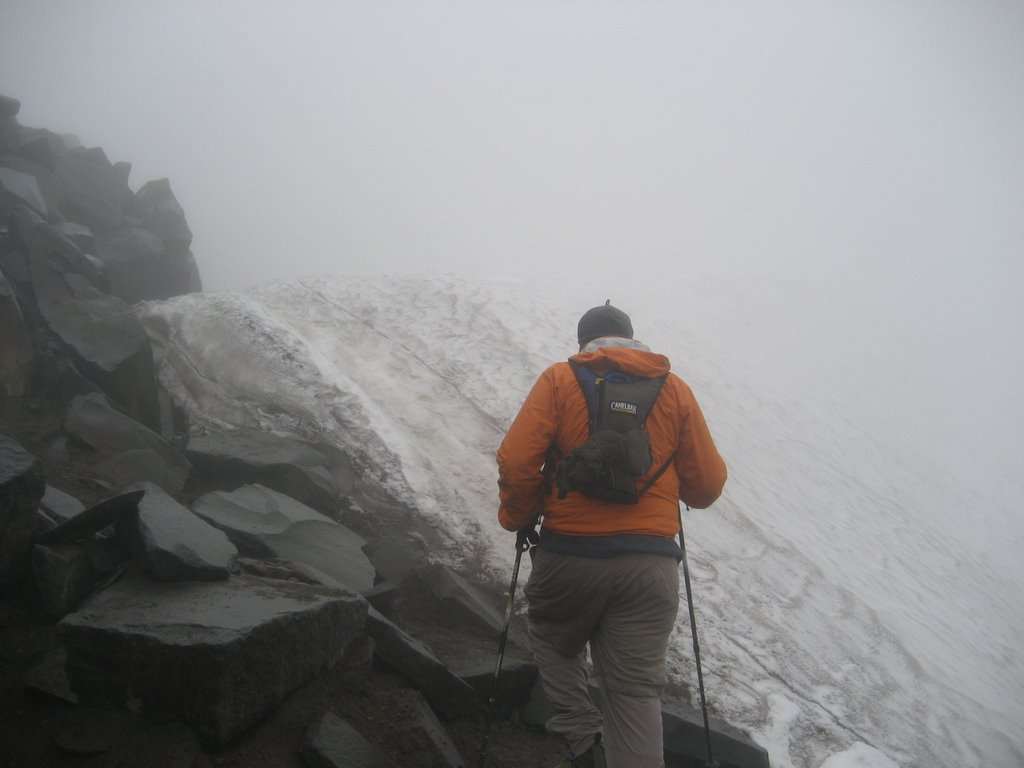 maize maze. Past Orting the traffic was very light as the forecast was for fog/rain at Paradise.
Paradise was mostly fogged in as we got to the visitor's center and it was also rather brisk. I had left my bladder at home so I wanted to get some water at the shop. We also only had one pair of gloves and hat so we each bought one of each to stay warm.
The hike starts at 5400 feet and takes the Skyline Trail up toward Panorama Point (there are weaving trails through this area – you could take the Alta Vista Trail slightly to the east (much to my chagrin this was the Spanish pronunciation. Chris has been pronouncing Vista (as in Windows Vista) “veesta†all week to irritate me and now he had a legitimate reason to pronounce it as such) but veers left and upward to Pebble Creek before reaching the snowfield. We saw a few hikers coming down who had not made it very far up the snowfield – in fact it was snowing at that altitude.
Pebble Creek is about 7200 feet which we reached in a little over an hour. We ran into a group of three – a couple and their friend – and it was her first time on the snowfield. In fact we later 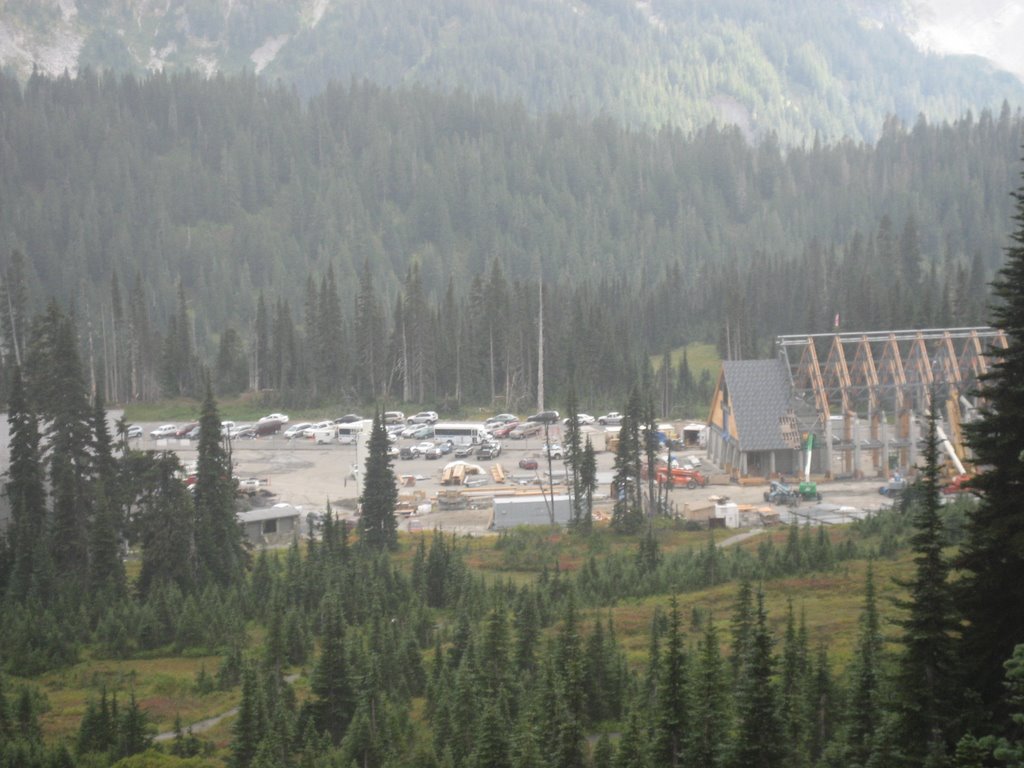 learned that she had surgery earlier in the year and resultant complications that resulted in several blood transfusions so this was quite remarkable.
We didn't get very far up the snowfield – 15 minutes or so – as the conditions were very foggy and icy. The snowfield was very low and there was a lot of exposed dirt out on the snowfield. Very odd.
On the way down we were able to get a good look at the construction on the new Visitor Center and Paradise Inn.
Toward the end of the hike the fog started to clear and by the time we were in Eatonville the mountain was clear on the horizon. We treated ourselves to Arby's in Puyallup on the way home.
As always, regardless of the weather, hiking around Paradise is wonderful. It was a good day on the mountain.
Oh My
Star Wars Gangsta Rap - very disturbing (and funny). Check it out.
Brain and Brain! What is Brain???
I have no idea what the title of this blog has to do with the content but I was thinking of this entertaining Star Trek quote....
I was released from the hospital yesterday - in the afternoon about 2:30. Overnight was not bad. I fell asleep soon after the blog entry, was awoken around 11pm to check some vitals then I slept for about 6 hours with the help of some percocet. I slept on/off through the morning but the bustle around the hospital kept me awake. The doctors came by early to check on me and let me know I'd likely be leaving that day.
I had only been on the pain meds since the operation and my blood pressure was normal. I was running a low-grade fever but this did not seem to be much concern.
I took a walk early in the morning and one later in the afternoon. My afternoon walk I hooked up with a gentleman from Alaska that had had his bladder replaced due to cancer. He had been through three months of chemo already and had just had a new bladder constructed out of a portion of his small intestine. And he was out-walking me! He had had his surgery the previous Thursday however ;-). He was still in amazing spirits and quite healthy - told me he had been working out specifically to deal with his condition over the past several months and it showed.
I'll give fair warning now to stop reading if you don't want to hear much about the details of what else post-surgery involves :-).
The big concern of the hospital staff is if I was passing gas or not. I started the night before. This is apparently a big deal to make sure my gastro system was functioning after the surgery. Fun stuff. The good news is that more movement tends to get that system going and gets the CO2 that was pumped into my abdomen during surgery absorbed.
The only prescription I had was for more percocet so we stopped by the drug store on the way home. Also decided to stop by work at the end of the day to say "hi" to the crew. It was nice to see everyone. We had also had our chili cookoff so I brought some chili home.
Once I got home I was pretty exhausted - went to be about 7pm and woke up periodically through the night. I took two doses of percocet in the night and let me tell you - dreams on narcotics are pretty intense. Random dreams about Arby's and Allen Field House and being chased by dogs. And in full cinescope color!
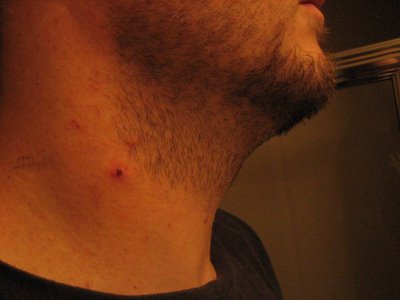
This morning woke up about 9am and did myself the favor of taking a shower. The following picture is from the IV I had in my neck - I guess it was about the width of a straw. Starbucks straw - not those thin wimpy ones.
Dad and I walked over to Starbucks this morning so I'm trying to stay active and moving. Will be heading over to the grocery store later today as well. All in all things are going smoothly and things are healing up on/ahead of schedule.
Most importantly today is to see KU beat Texas in the Big 12 game of the season - should be a good game.
Gut Check
I can now cross off my list of things to do "spend a night in ICU." So, the surgery went off as expected - of course I was out for all of it so what do I know? :-)
The pain is amazingly slight. The last thing I remember is the doctor trying to get the A-line in my wrists. I woke up with this A-line in my femoral artery (groin) in my right leg. As advertised I had an IV in my neck; not advertised was the catheter. I was hooked up to several macines including some cool leg wraps that inflated every five minutes to massage my legs and aid circulation.
I slept on and off through the night. I was hooked up with a personal pain medicine dispenser (this has some acronym I cannot remember). I only used it 5/6 times.
Morning brought solid food - 1/2 banana, oatmeal, french toast, and juice. I got some down but abdominal pain made me not want to take too much.
Around 10am the tubes started coming out. The A-line was worst as it required several minutes of pressure on the artery. The catheter was amazingly painless as was the neck IV.
I moved back up to the 17th floor around 11am. I tried sitting up early which was quite painful. What is interesting is how much my shoulder hurts (left) - I apparently got yanked pretty well in the OR.
Of course you learn to rate your pain on a scale of 0-10. Pretty sure I've never been at pain = 10 so it's a little hard to rate. I've been taking perkased today for the pain which has been tolerable.
Just took two laps up and down the hall for my first outing. I also ate all of my lunch and dinner so am holding down food. I assume if I get a good night's rest I'll be home tomorrow.
As Tue/Wed the hospital staff has been top notch and very helpful. The stay has been very pleasent and comfortable.
Hopefully I will be released tomorrow so I can type from my keyboard and not the Treo.
Can I Keep This Gown?
One final post before I hit the OR. My Treo works so will take this chance to document my hotel stay so far.
Dad and I showed up before noon yesterday - our scheduled check-in. No matter - was in my 17th floor room soon enough (nice southern view). The only bad part is my last meal was 8pm the previous night - I was instructed to be on a clear liquid diet all day. I eventually got a fine lunch of chicken broth and red jello (dinner was beef broth and yellow jello). Of course when you are starving every commercial seems like it's for pizza or steak. Needless to say much of my hospital stay so far has been planning my release meal.
I was on IV all day - three bags of saline to make sure I'm fully hydrated. The only drug fun was my enema fluid to make sure I'm emptied out (and without going into detail it works).
The only glitch is my anesthesiologist was over hours so is not able to do the surgery. His partner is taking over and is just as experienced so no worries. I actually was just visited by my 3rd surgeon which makes five doctor visits since admission. They are prepared and so am I - I am in good hands.
Surgery is for around 9:20 am and I'll be getting prepped an hour before - the general then the epideral then out like a light. If all goes well I'll be in recovery around 1pm with a few small incisions in my belly and one less adrenal gland.
If all goes well i'll be out on Friday.
I will close by saying I slept well without any drugs. Not nervous at all. I will talk to you all tomorrow.
T-24 Hours
So here we are at the final post before surgery. I am admitting today to the Virginia Mason hospital (downtown Seattle) at noon. I am scheduled for surgery first thing Wednesday morning which means about 7am or so.
Everything to this point is checking out. I had a long conversation with the anethesiologist yesterday and he's certain everything will turn out well.
This also marks the beginning of my fast - no solid food for the next couple of days. Whee!
Not quite sure what to expect from today other than some monitoring, likely a fair amount of blood testing and such.
See you all on the other side.
Full Steam Ahead!
Seems that it's been awhile since my last post. In this case, no news is good news.
I have been consistently upping the dosage of alpha blockers and expect to be on 4x 40mg a day starting tomorrow. Those following closely will be happy to know that my BP has dropped consistently under 135/90 which is considered the upper range - this morning got a couple in the 110/70 range which used to be normal for me.
The upside is I am not sick of Gatorade yet and am probably going to be single-handedly responsible for a banner quarter for them. By 10am yesterday I had guzzled 64oz already and by end of day I had gone far north of a gallon consumed. The bad news is the doctor's prediction appears correct - I've gained about 10 pounds. I just hope it's all fluid :-).
Ah, yes, I started the beta blockers yesterday. As the doctor says this weekend we were really going to start pounding on me with the drugs. Frankly I have not felt that lightheaded. Then again I've been pretty much lying on my butt as opposed to being up and around like at work last week. The new drug is metroprolol and I'm doing 2x 50mg of this cute pink little pill. All I have to say is good riddence to the atenolol - I'm sure these are similar but I had such a bad experience with this bad boy the last time b/c I was not on the alphas yet.
Tomorrow is a company holiday so I'll be continuing to rest. Not much of a three-day weekend but that's ok. I'll be checking in on Tuesday at noon and expect everything to stay constant between now and then.
Can I Get a Fix Man?
Not much drama to report in the quest for adrenal gland removal - of serious note anyway. I do have a story to relate that my friend Todd will no doubt find at least mildly anecdotal.
So, last we left off I had met with the surgeon. Friday I went in for another CT Scan which was pretty much like the first. The only real change is that I got to drink two of the mystical drink rather than just one.
Dr. Don called on Monday to let me know the EKG and Echo results were good.
I have been continually upping my dosage according to my marching orders.
So, I realize on Saturday that I'm running low on pills. Walgreens has a nifty feature where you punch in your prescription order as long as you have refills remaining (long-time readers will remember the trials I went through to get my first prescription). I fill in my information and wait. And wait a bit more. Then I think maybe Walgreens is using the Aspen Notification Service and I'll get my confirmation email later.
Sunday - no email. Walgreens doesn't love me.
Monday I call. I only have 10 of these bad boys left and I'm going to take 8 today. The pharmacist tells me that insurance will not cover my pills. Incredulously (and before I go any further and before my pharmacy friends out there grill me I will mention that I rarely get prescriptions and I have never once in my life refilled one) I ask why not? Because your prescription was for 10mg a day and it's only been 8 days. Oh yeah - that secret underground drug trade in alpha blockers - I remember! Actually, I get it but was just not ready for it.
Well, I knew my anethesiologist was out that day already because I'd called to check in. So, I called back hoping to get another doctor to greenlight some new dope for me. Nope - got hooked up with the doctor who said he'd take care of it (and of course wanted to know how I was doing as well as how the BP was and if I'd kept my spreadsheet of BP current). He calls back in about 10 minutes to tell me my new prescription was for 40mg 4 times a day which as far as I can tell is the maximum amount I could get (Bucket - please confirm). Let's just say I'm not running out of alpha blockers anytime soon.
The good news is they are working. The dosages are going up and the BP is dropping (it's been in the 155/90 range and today I got a 113/74 which is quite normal if I do say so my damned self).
Time for another test and to update the spreadsheet. Life is good.